
Ste. Genevieve County
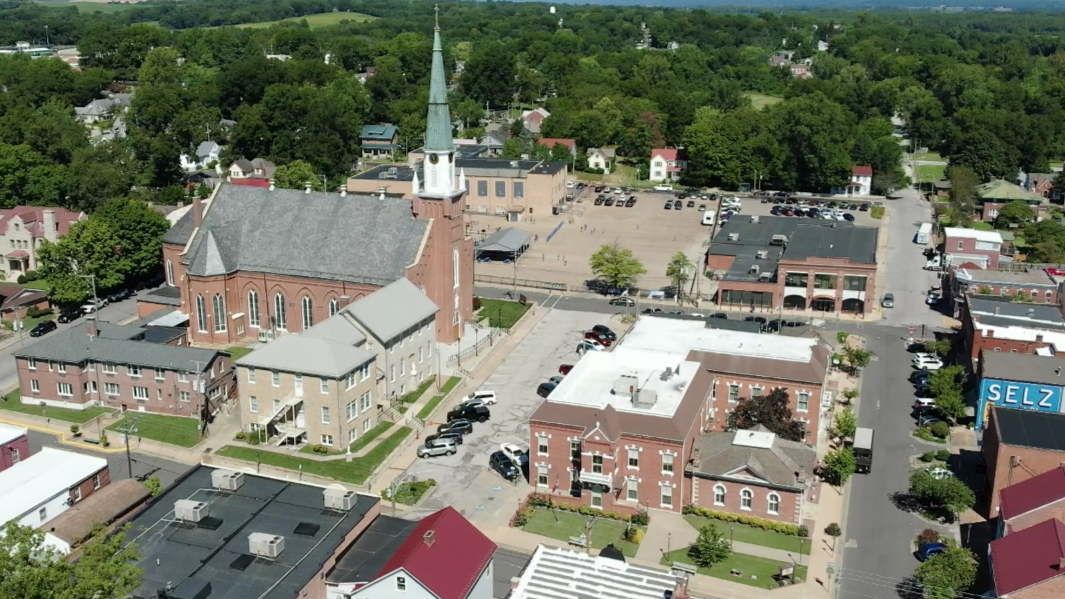
Sainte Genevieve County, often abbreviated Ste. Genevieve County (French: Ste-Geneviève), is a county located in east central Missouri in the United States. As of the 2010 U.S. Census, the county’s population was 18,145. The largest city and county seat is Ste. Genevieve. The county was officially organized on October 1, 1812, and is named after the Spanish district once located in the region, after Saint Genevieve, patroness of Paris, France. It contains the earliest European settlement west of the Mississippi River, part of the French colonial mid-Mississippi valley villages.
Data for Ste. Genevieve County
Data for Ste. Genevieve County
County Maps
The following maps are available for Ste. Genevieve County:
- Aerial Photos
- Cities
- County
- Fire Districts
- Roads
Ste. Genevieve Count: Low-Water Crossings
Supported Web Browsers:
- Google Chrome
- Microsoft Edge (does not include Edge Legacy)
- Mozilla Firefox
- Safari
(Only WebGL-enabled, 64-bit browsers are supported.)
Troubleshooting:
If you’re having trouble viewing the web maps, please consider the following.
ESRI maps require a browser that supports WebGL, which is essential for loading the maps properly. If your browser doesn’t support WebGL, you may encounter issues when accessing the maps.
To check if your browser has WebGL enabled, visit WebGL Test. (You should see a spinning cube.)
If your browser does not support WebGL, please update your browser or switch to one that does.
Thank you for your understanding.
- Composite Map for Public (log-in required for utilities, simply click “Cancel” on log-in prompt to bypass)
- Street Sweeper Schedule
- Zoning
- National Historic District Boundaries
- Historic Data
- Rental Housing
- Utilities Composite Map (Requires Log-In)
- Composite Map for Editing (Requires Log-In)
Supported Web Browsers:
- Google Chrome
- Microsoft Edge (does not include Edge Legacy)
- Mozilla Firefox
- Safari
(Only WebGL-enabled, 64-bit browsers are supported.)
Troubleshooting:
If you’re having trouble viewing the web maps, please consider the following.
ESRI maps require a browser that supports WebGL, which is essential for loading the maps properly. If your browser doesn’t support WebGL, you may encounter issues when accessing the maps.
To check if your browser has WebGL enabled, visit WebGL Test. (You should see a spinning cube.)
If your browser does not support WebGL, please update your browser or switch to one that does.
Thank you for your understanding.
Supported Web Browsers:
- Google Chrome
- Microsoft Edge (does not include Edge Legacy)
- Mozilla Firefox
- Safari
(Only WebGL-enabled, 64-bit browsers are supported.)
Troubleshooting:
If you’re having trouble viewing the web maps, please consider the following.
ESRI maps require a browser that supports WebGL, which is essential for loading the maps properly. If your browser doesn’t support WebGL, you may encounter issues when accessing the maps.
To check if your browser has WebGL enabled, visit WebGL Test. (You should see a spinning cube.)
If your browser does not support WebGL, please update your browser or switch to one that does.
Thank you for your understanding.
Supported Web Browsers:
- Google Chrome
- Microsoft Edge (does not include Edge Legacy)
- Mozilla Firefox
- Safari
(Only WebGL-enabled, 64-bit browsers are supported.)
Troubleshooting:
If you’re having trouble viewing the web maps, please consider the following.
ESRI maps require a browser that supports WebGL, which is essential for loading the maps properly. If your browser doesn’t support WebGL, you may encounter issues when accessing the maps.
To check if your browser has WebGL enabled, visit WebGL Test. (You should see a spinning cube.)
If your browser does not support WebGL, please update your browser or switch to one that does.
Thank you for your understanding.